BlogGuides
How to Create a Marketplace: Complete Guide
, updated on 15 May 2025
One click, and Google will show my articles more often in your results.
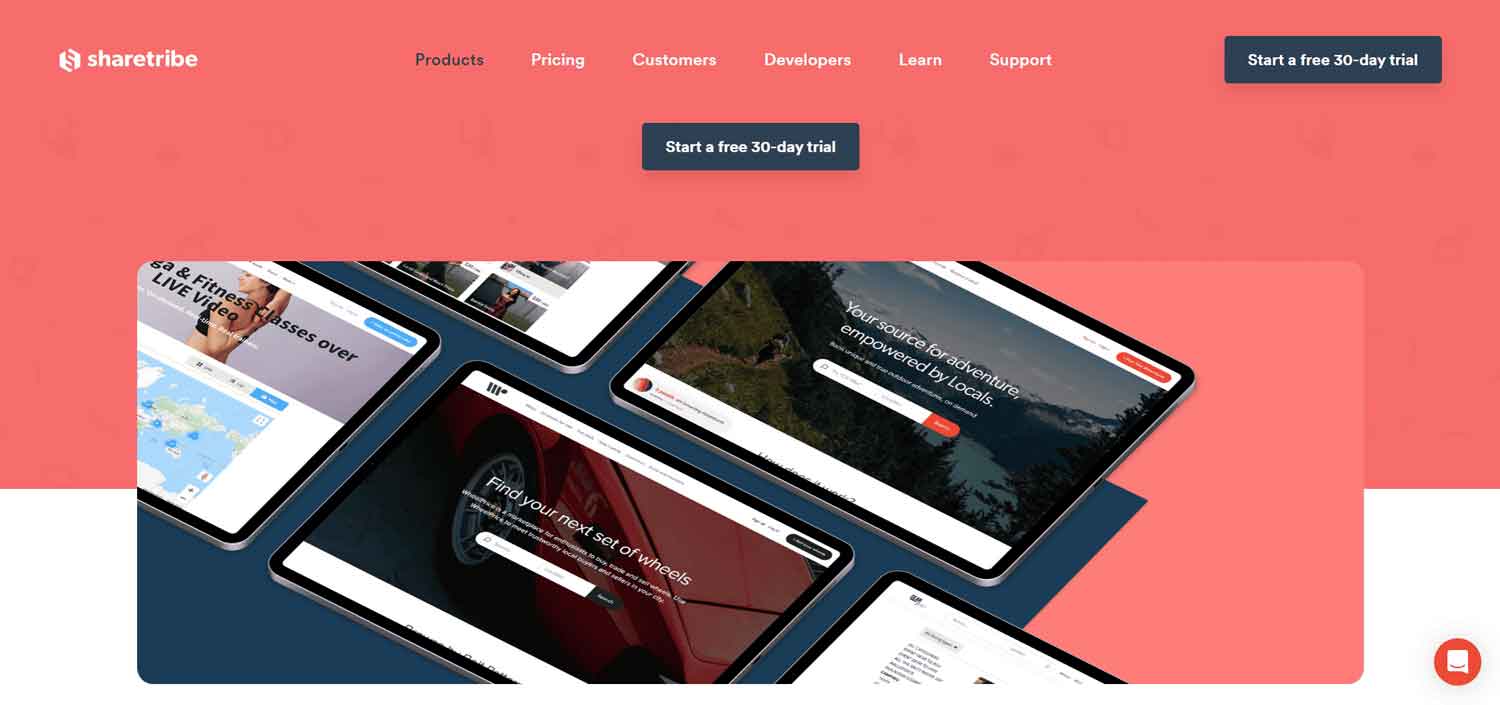
In today’s digital landscape, online marketplaces are gaining in importance. Whether you want to create a platform to sell handicrafts, rent equipment, or offer services, a marketplace may be the ideal solution. One of the most popular and accessible platforms for creating a marketplace is Sharetribe. In this detailed guide, we will explore how to create a marketplace using Sharetribe, from initial setup to ongoing optimization and management. With in-depth coverage of every aspect of the process, this guide will provide you with all the information you need to create a successful marketplace.
Table of Contents
- Introduction to Sharetribe
- Marketplace planning
- Membership in Sharetribe
- Initial Configuration of the Marketplace
- Design Customization
- Configuring Payments
- User Management
- SEO Optimization
- Marketing and Promotion
- Monitoring and Analysis
- Management and Continued Growth
- Case Studies and Success Stories
- Conclusion
- Additional Resources
Introduction to Sharetribe
Sharetribe is a SaaS (Software as a Service) platform that allows you to create and manage an online marketplace without the need for advanced technical skills. With Sharetribe, you can start a marketplace in minutes, configure key features, customize the design, and manage payments. The platform supports both product and service marketplaces and offers several customization options to fit the specific needs of your business.
Advantages of Sharetribe:
- Ease of use: Sharetribe is designed to be user-friendly, making it easy to create and manage a marketplace even for those without advanced technical skills.
- Customization: Offers several customization options to tailor your marketplace to your specific needs.
- Integrated support for payments: Supports payment solutions such as Stripe and PayPal, making it easier to manage transactions.
- Scalability: It is a scalable platform that can grow with your business, allowing you to add new features as you need them.
Marketplace planning
Before you start with setting up Sharetribe, it is essential to have a clear idea of the type of marketplace you want to create. Here are some steps to effectively plan your marketplace:
Define the niche
Identifies the target users and the type of products or services that will be offered. A successful marketplace often focuses on a specific niche rather than trying to be all things to all people. For example, you can create a marketplace dedicated to local handicrafts, sports equipment, consulting services, etc.
Market research
Study your competitors and analyze the market to understand what your potential users’ needs and expectations are. This will help you identify key features and points of differentiation. Analyze what your competitors are offering and try to identify gaps that your marketplace can fill.
Business model
Decide how your marketplace will generate revenue. Common options include transaction fees, subscriptions, or a combination of both. Also consider other sources of income such as advertising or premium services.
Essential features
List the essential features your marketplace must have. This can include product search and filtering, review system, payment management, and more. Having a clear list of features will help you maintain focus during the configuration and development phase.
Membership in Sharetribe
The first practical step is to register with Sharetribe. Visit the Sharetribe website and create an account. Sharetribe offers a free trial, which is a great way to explore the platform and its features before committing to a paid plan.
Steps for enrollment:
- Visit Sharetribe’s website: Navigate to Sharetribe.com and click on “Start Free Trial” or “Get Started.”
- Create an account: Enter the required information such as name, email and a secure password.
- Marketplace name and domain: Choose a name for your marketplace and set up a temporary domain. You can change the domain later if you wish to use a custom domain.
Initial Configuration of the Marketplace
After creating an account, you will be guided through the initial setup process of your marketplace. Here are the main steps:
Name and domain
Choose a name for your marketplace and set up the domain. You can use a free subdomain provided by Sharetribe or attach a custom domain. Domain name is important for your brand identity and SEO optimization. Find out how to choose the right domain name here.
Logo and branding
Upload your marketplace logo and configure the colors and style to reflect the branding of your business. Consistent and professional design helps build trust and credibility among users.
Categories and lists
Configure the categories of products or services that will be offered on your marketplace. This helps to organize listings and facilitate navigation for users. For example, if you are creating a craft marketplace, you might have categories such as “Jewelry,” “Clothing,” “Home Decorations,” etc.
Design Customization
Sharetribe offers several design customization options to fit the desired look and feel for your marketplace. You can use the default themes or customize the CSS and HTML code for more flexibility. Here are some of the main areas you can customize:
Homepage
Configure your marketplace homepage to highlight key products or services, categories, and special promotions. The homepage is the first impression visitors will have of your marketplace, so make sure it is attractive and informative.
Listing pages
Customize listing pages to ensure that product or service information is presented clearly and attractively. Include high-quality images, detailed descriptions, and product specifications.
Navigation
Configure the navigation menu for easy access to different sections of your marketplace. A well-structured menu helps users quickly find what they are looking for, enhancing the user experience.
Create your marketplace
Configuring Payments
One of the most important features of a marketplace is payment processing. Sharetribe supports several payment solutions, including Stripe and PayPal. Here’s how to set up payments:
Connecting your Stripe or PayPal account
Follow the instructions to link your Stripe or PayPal account to your marketplace. This will allow you to accept payments from your users. Both solutions offer simple configuration and secure transaction management.
Commissions and fees
Configure the fees you wish to charge for transactions. You can set a fixed percentage or a variable rate based on the value of the transaction. Carefully consider the rates to make sure they are competitive but also sustainable for your business.
Payout to vendors
Configures the payout system for vendors. This can be automated through Stripe or PayPal to ensure that sellers receive their funds in a timely manner. It is important to establish clear policies on payout times and any fees charged.
User Management
User management is a crucial aspect of a marketplace’s success. Sharetribe offers tools to manage both sellers and buyers:
Registration and login
Configures the registration and login process for users. You can choose to allow open registration or manually approve new vendors. Make sure the process is simple and secure to incentivize enrollment and ensure data protection.
User profiles
Customize user profiles to include relevant information about sellers and buyers. This can include reviews, ratings, and contact details. Comprehensive and detailed profiles help build trust among marketplace users.
Content Moderation
Implement a moderation system to ensure that listings and reviews meet the guidelines of your marketplace. Moderation is essential to maintain the quality and safety of the marketplace. You can set up automatic filters and manual review processes to handle problematic content.
SEO Optimization
To attract organic traffic to your marketplace, it is essential to optimize your site for search engines (SEO). Here are some tips for improving the SEO of your Sharetribe marketplace:
Keyword research
Identify keywords relevant to your business and integrate them into your titles, product descriptions, and site content. Use tools such as Google Keyword Planner or Ahrefs to find the most effective keywords.
Meta tags and descriptions
Configure meta tags and descriptions for all pages in your marketplace. This will help search engines understand the content of your site and improve ranking in search results.
URL friendly
Make sure your page URLs are descriptive and easy to read. Avoid automatically generated URLs that contain numbers or symbols. A clean, readable URL is easier to remember and helps with SEO.
Quality content
Create quality content, such as blog posts and guides, that can attract visitors and improve your site’s search engine ranking. Relevant and informative content not only attracts traffic, but also increases the authority of your site.
Marketing and Promotion
Once your marketplace is set up and optimized, it’s time to attract users. Here are some marketing strategies you can use:
Social media
Use social media to promote your marketplace and interact with your audience. Create profiles on platforms such as Facebook, Instagram, and LinkedIn and share relevant and engaging content. Also consider using influencers to increase the visibility of your marketplace.
Email marketing
Create a user email list and send regular newsletters to update on new products, promotions, and other news. Email marketing is a powerful tool for keeping in touch with your users and increasing sales.
Paid advertising
Consider investing in paid advertising on platforms such as Google Ads or Facebook Ads to reach a wider audience and increase traffic to your marketplace. PPC (pay-per-click) campaigns can be very effective in attracting new users quickly.
Monitoring and Analysis
To ensure that your marketplace is meeting its goals, it is important to monitor performance and analyze data. Sharetribe offers built-in analytics tools, but you can also use external tools such as Google Analytics for a more detailed view. Here is what you should monitor:
Site Traffic Analyze your site traffic to understand where visitors are coming from and what pages they are visiting. This data helps you better understand user behavior and identify areas for improvement.
Conversions Monitor conversions to see how many visitors are actually completing purchases or registrations. Conversions are a key indicator of your marketplace’s success.
User feedback Gather feedback from users to understand what works well and what can be improved. Use this data to make changes and continually improve your marketplace. User feedback is valuable in identifying possible problems and opportunities for growth.
Management and Continued Growth
Once your marketplace is up and running, the work doesn’t end there. Ongoing management and adaptation to user needs are essential for long-term success. Here are some practices of ongoing management and growth:
Regular updates
Keep your marketplace up-to-date with new features and enhancements. Listen to user feedback and implement necessary changes. Release regular updates to keep your site modern and competitive.
Customer Support
Provide effective customer support to resolve any problems and ensure a positive user experience. Prompt and helpful customer support can make the difference between a satisfied and dissatisfied user.
Expansion
Consider expanding your marketplace to new niches or geographic markets to increase your user base and revenue opportunities. Expansion can bring new opportunities for growth and income diversification.
Case Studies and Success Stories
We explore some case studies and success stories of marketplaces created with Sharetribe to better understand the different applications and inspire us.
Case 1: Handicraft Marketplace A small entrepreneur created a marketplace dedicated to local handicraft products using Sharetribe. He started with a limited selection of local vendors and used social media to promote the site. Due to the quality of products and customer focus, the marketplace has grown rapidly and now includes sellers from all over the country.
Case 2: Equipment Rental A company launched a marketplace for sports and event equipment rental. Using Sharetribe, they set up an easy-to-use booking system and integrated secure online payments. Through a targeted marketing strategy and local partnerships, the marketplace reached a large audience and significantly increased the company’s revenue.
Case 3: Consulting Services A group of professionals created a marketplace for consulting services in various fields, such as marketing, finance, and technology. They used Sharetribe to create an integrated booking and payment system, while also offering video conferencing capabilities for counseling sessions. The marketplace has been successful because of the quality of the consultants and the ease of use of the platform.
See successful marketplaces created with Sharetribe
Conclusion
Creating a marketplace with Sharetribe is an affordable and versatile process that can be adapted to a wide range of business needs. With careful planning, meticulous setup and ongoing management, you can build a successful marketplace that attracts users and generates revenue. Hopefully, this guide has provided you with the information and resources you need to begin your journey into the world of online marketplaces. Good luck!
Additional Resources
To help you further, here are some additional resources that may be helpful in the process of creating and managing your marketplace:
Sharetribe Guides and Tutorials Sharetribe offers a wide range of guides and tutorials on their website covering all aspects of creating and managing a marketplace. These resources are extremely useful for delving into the platform’s functionality and solving any problems.
Community and forums Join the Sharetribe community to connect with other marketplace creators. Online forums and social media groups are great places to exchange ideas, seek advice and find support.
Webinars and workshops Attend webinars and workshops organized by Sharetribe or industry experts. These events offer valuable insights and opportunities for hands-on learning.
Marketing Tools Explore marketing tools that can help you promote your marketplace, such as Hootsuite for social media management, Mailchimp for email marketing, and Google Analytics for data analysis.
With these resources and the detailed guidance provided, you will be well equipped to create and manage a successful marketplace using Sharetribe. Remember that the key to success is continuous evolution and adaptation to the needs of your users. Good luck on your entrepreneurial journey!
Create your marketplace