BlogTips
Best Programs for Creating Websites and E-Commerce
, updated on 16 November 2024

One click, and Google will show my articles more often in your results.
Are you looking for the best programs for creating websites? In this article I will first explain what solutions are available to you, and the relative Pros and Cons of each, then I will give you my final verdict. Thousands of programs exist online so I will focus on the ones that are best known or that I think are worth thinking about. In fact, I have looked at programs dedicated mainly to freelancers, small to medium-sized businesses and startup projects.
Table of Contents
- Rental or ownership?
- Showcase Site or E-Commerce Site?
- Programs for creating a Showcase Site
- Programs to create an E-Commerce
- Final Considerations
Rental or ownership?
Imagine a site as a car, and that you need a car. You are faced with two options: rent or buy.
Monthly/annual rental
If you rent a car, you know that maintenance is included in the monthly fee. So every month you will have to pay to use the car. Now, in IT this formula is called SAAS (Software as a Service) that is, the software is offered to you as a monthly or annual service.
Purchase
If you buy it, you will have to provide routine and/or extraordinary maintenance. In computer science it is simply called paid software 🙂
Rental by consumption
Think of daily rental formulas such as the service offered by Car2Go in big cities. You rent the car even for just a few minutes and spend according to the number of miles you drive or minutes of use. Also this formula in IT is called SAAS, precisely the software is offered to you as a service.
Now that you understand these three formulas, imagine you have two more at your disposal.
Free use + paid services
You can use the car for free and can only travel on certain roads. You pay if you want to turn on the car radio, air conditioning, travel on certain roads, etc.. This indent mode is called Freemium.
Free use
And finally, imagine now that you can have a totally free car to drive around freely. You are provided with the basic version of the car, but you can also either modify it yourself if you have the skills as a mechanic or get a professional to work on it. Some accessories will be available to you for free, others for a fee. The more customization you request, the greater the investment you will need to hire a professional. Having simplified to the bare minimum, you have now understood what options are then available to you.
Showcase Site or E-Commerce Site?
Although we can generically define with the word “site,” more or less any kind of web solution, given the rise of online commerce, it has been conventionally preferred to call Showcase Site those sites that are mainly institutional and are used to show information*(e.g.,* who your product/service is and what it does, book appointments, etc…), and**“E-Commerce** Site” those sites that allow you to buy on the same a product/service. Then there are also hybrid solutions that allow you to both have a part to show information and to sell over your products or services.
IS IT WORTHWHILE TO OPEN A WEBSITE TODAY?[UPDATED 2026]Programs for creating a Showcase Site
Let’s now get into the nitty-gritty and start with the best programs for creating a showcase site, that is, a site to present your company and services.
WordPress
It was born in 2003, with a very specific purpose: to create blogs, in an easy way. And free. In over 20 years, WordPress has become the world’s most popular program for creating websites (this site you are reading the article on was made with WordPress).
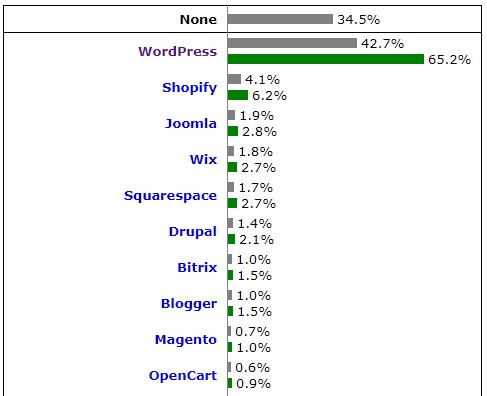
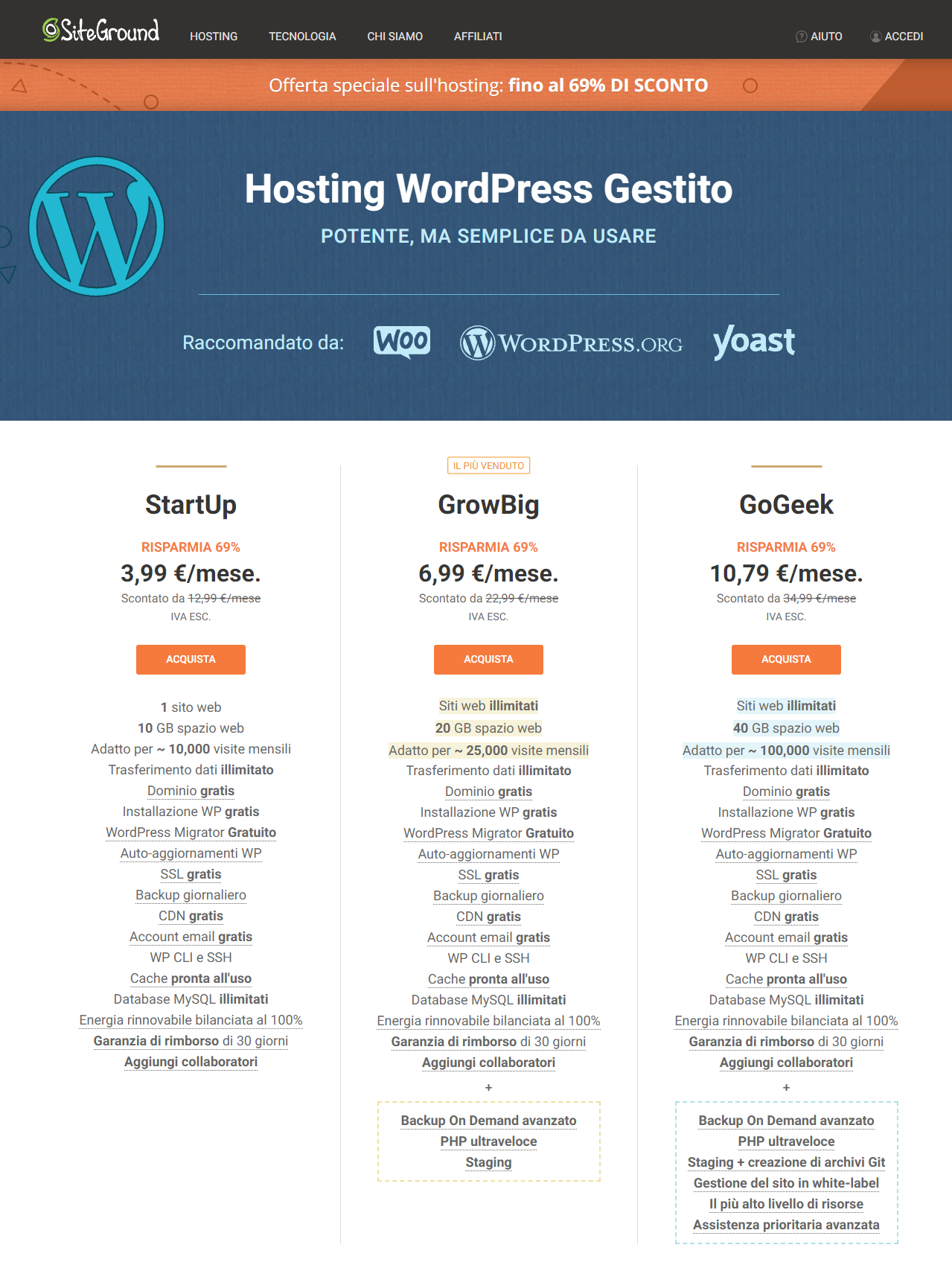
Well I’ll start by telling you that WordPress is free. You’ll just need to buy a good web space, and I recommend Siteground which is optimized for WordPress, also benefiting from a major discount. Also through Siteground you’ll be able to configure it in a few simple steps through an installation wizard. You won’t even have to download the latest version of WordPress package, as you can proceed with the basic configuration yourself on their site. I myself have been using Siteground for over 5 years and am fully satisfied with it.
But how is all this success possible if WordPress is free? The license under which this software is distributed is open source, meaning that the programming code with which it was written has been made completely readable and modifiable by any user. Fortunately, the world is full of volunteers who want to create something beautiful and working just for the sake of it. And so thousands of people from all over the world, donate their time and knowledge for free every day to improve WordPress. Over the years, the WordPress community has created a store where you can find over 50,000 plugins that can be installed on your site to expand it with numerous features. Some are completely free, others are paid if you want to unlock additional functionality. Among the billions of sites that use this program, there are also several very popular sites such as Walt Disney ‘s site or Katy Perry‘s site. Now below I will list the PROs and CONs that I have found in WordPress to give you a more complete overview:
PRO
- Numerous online guides
- Thousands of themes available
- Ability to also add E-Commerce section with WooCommerce plugin
- Great for showcase sites and blogs
- Store of plugins with a wide selection
- Ability to adjust functionality as needed
- Free
AGAINST
- WordPress database structure becomes underperforming as the number of pages increases (over 10,000)
- Page loading should be optimized either by choosing a great web space or by caching plugins.
- Installing too many plugins can cause errors and/or slowdowns
CONSIDERATIONS
WordPress is definitely a solution that I would recommend to those who, even without special technical experience, wish to create a showcase website or a hybrid website (showcase website + e-commerce), perhaps combined with a nice graphic theme. Its extensive customization options and choice of available themes make it a great program for small-to-medium business and startup projects. However, to have ease of configuration and excellent performance right from the start, it is necessary to rely on good hosting. I recommend the choice of plugins when building the site and especially the compatibility between them. A wrong uninstallation could “dirty” your database and generate errors. Be careful, however, between creating a “beautiful” site and creating a “good” site there is a gulf. Installing a pre-packaged theme and creating a few pages does not mean you know how to use WordPress, in fact you are probably only 30% of its potential.
Joomla
It was born in 2005, and saw its peak growth until about 2013, only to be outperformed (as market share) by WordPress. Joomla is also free. Joomla is also installable in a few clicks on Siteground. It too has a store of about 9,000 plugins, many of which are paid for. Unlike WordPress, the developers around the Joomla community pay more attention to the compatibility of the plugins that are loaded.
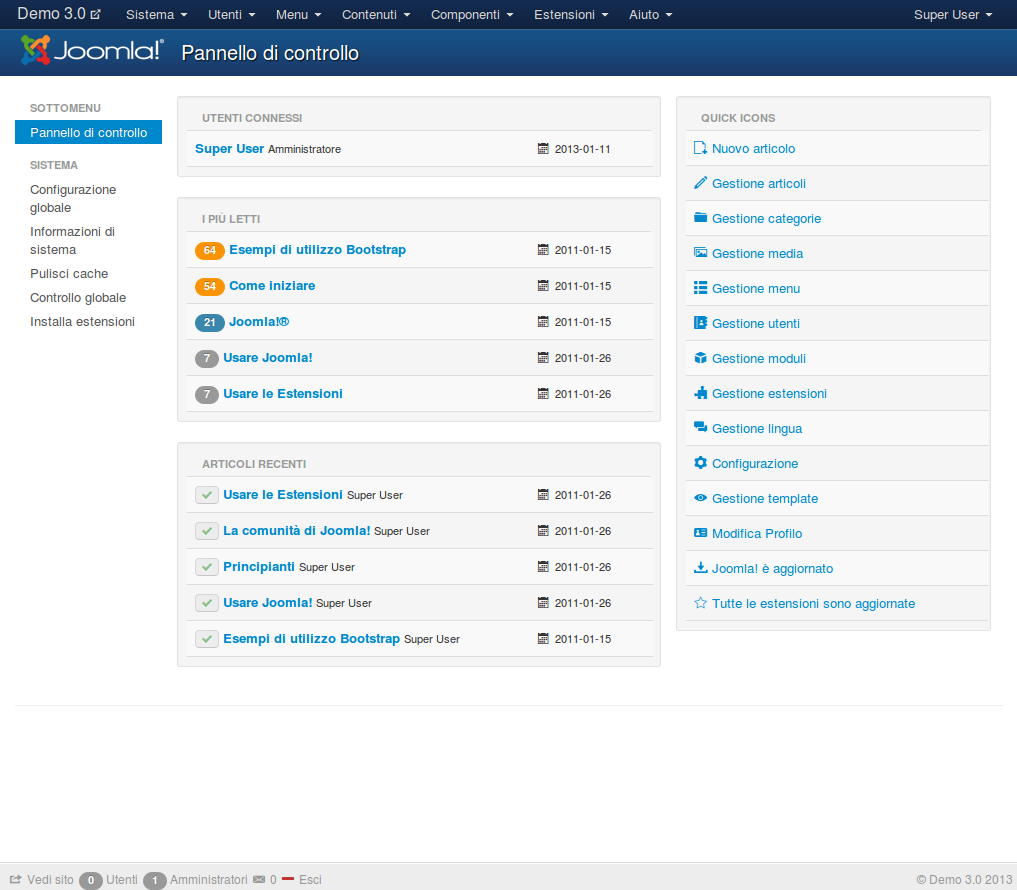
Unlike WordPress, Joomla requires more time for learning. Now below I will list the PROs and CONs that I have found in Joomla to give you a more complete overview:
PRO
- The database is more optimized than that of WordPress
- Reduced page loading times
- Joomla also holds up well to complex projects with thousands of pages
- Hundreds of graphic themes available
- Free
AGAINST
- Unintuitive control panel
- Dedicated to intermediate users with a good technical foundation
- Little innovation in recent years
- Store apps are functional but some are not worth the price paid
CONSIDERATIONS
Joomla is a tool that has always done its job over the years but never shined. I think that the massive adoption of WordPress has made us lose sight of**“the typical** user” who uses Joomla a bit. If I were to try to find a well-defined target user, I would see it as better suited for a person with a mid-level technical foundation, who can also get their hands on code and files when needed. Should WordPress’ market share continue to increase, Joomla could become a program increasingly dedicated to a niche of loyalists.
Website X5 Evolution
A program that was created by the Italian company (from Ivrea) Incomedia Srl. A software that over the years has been able to renew itself and adapt to the needs of the market. It allows you to create website, blog and e-commerce through a simplified interface. Unlike other software out there, which you need to install on a server before you start working with it, Website X5 Evolution is installed directly on your PC (at the moment it is not yet available on Mac). Once installed you can create your website by simply dragging and dropping modules. I leave below an introductory video to help you better understand. Once you have completed your project you can either install it on the web space made available by the company, or on your own hosting.
The program is offered in two versions: EVO and PRO. On the rates page you can learn about the different features between the two packages and the up-to-date prices. Through this link you will be able to benefit from an important discount on the two packages. Also available is a store where you can purchase additional features through purchasable credits. Now below I will list the PROs and CONs that I have found in Website X5 Evolution and give you a more complete overview:
Click here to get a major discount on Website X5 Evolution
PRO
- Fixed price (no monthly subscription)
- Sites created are mobile responsive (thus adapting content on devices such as smartphones and tablets)
- Ease of use especially for beginners
- It covers three areas: website, blog and E-commerce
- Ability to manage E-Commerce orders and inventory via app
- Good software for hybrid projects
AGAINST
- Not available natively for the Mac
- Store plugins are still limited
- Some limitations of customization
CONSIDERATIONS
Website X5 Evolution is a program that has been maintained and updated over the years. It has a very specific target of customers, namely those who have no technical knowledge, but want to get to a decent result. I would recommend it to those who want to create a hybrid site, thus being able to create a showcase part, an e-commerce part and a blog part. On the other hand, if you want to have a specific and scalable program in a specific area (e.g. only e-commerce), better look elsewhere. Another interesting aspect is definitely the price, which is great for the functionality offered. Therefore ideal for getting started online, and then considering whether to upgrade to superior solutions.
Programs to create an E-Commerce
Now let’s start instead with the best programs for creating an E-Commerce site, that is, a site to sell your products.
WooCommerce
It is not an actual program, but rather an extension for WordPress. After installing WordPress, you will find WooCommerce within the plugin store, in just a few clicks you can then enable sales functionality. WooCommerce is an extension created directly by Automattic, which is the leading business partner company of the WordPress foundation. The WooCommerce extension, with all the basic functionality is available for free, and some advanced features can be purchased separately.
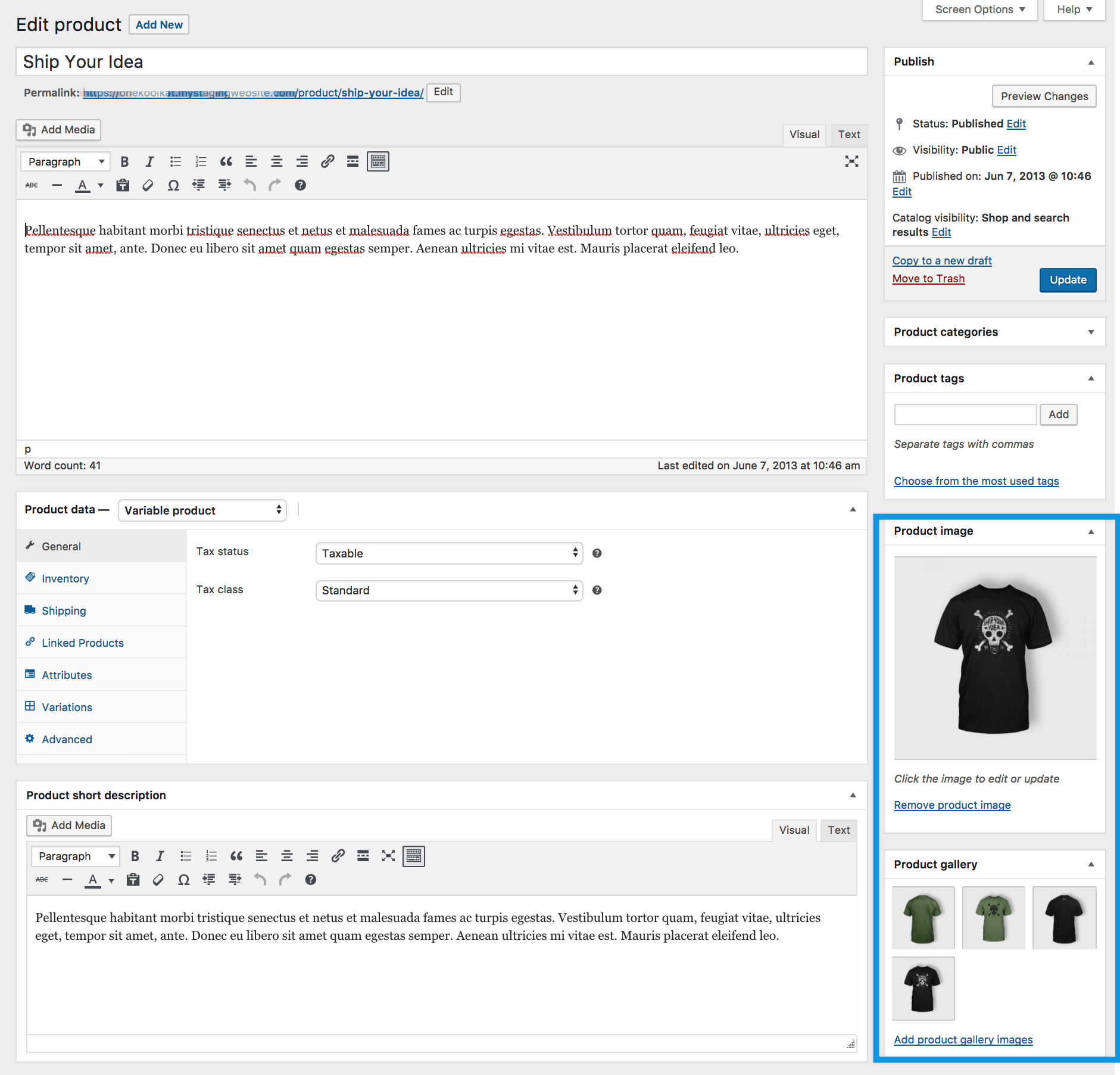
For installation here, too, Siteground comes to your rescue, providing you with an optimized web space, to speed up your site that will use WooCommerce. The free version has all the features you need to upload products and sell right away. Now below I will list the PRO’s and CON’s I have found in WooCommerce and give you a more complete overview:
PRO
- Free basic version
- Unless you need special features, the basic version will cover your needs
- A lot of online documentation
- Ability to manage E-Commerce orders and inventory via free downloadable app
- Integrates easily with WordPress
- You can also integrate WooCommerce for selling services (not just products)
AGAINST
- WooCommerce shares the same database as WordPress. Therefore, indicatively after 20,000 products it will be necessary to proceed with technical optimizations on the code and server side, in order to avoid slowdowns when loading pages
CONSIDERATIONS
WooCommerce has now reached full maturity after more than 10 years since its inception, and it is estimated that more than 30% of E-Commerce sites worldwide use it. Being completely free, it has in fact had a huge market uptake. It has some limitations due to the database management by WordPress, however these can be circumvented with a good initial setup, a good web space and routine maintenance. I recommend WooCommerce to those who are already intent on using WordPress, and thus give birth to hybrid projects consisting of both a more showcase part (giving ample storytelling to one’s brand/service) and a pure product/service sales part.
Shopify
It is a platform for creating E-Commerce sites, born in 2006 in Canada. Until 2014 it was mainly used in the US, and then made its way around the world. In Italy it rises to prominence with new users during the 2020 pandemic. Shopify is completely in SAAS, which means you do not have to install anything. Through a guided registration on the Shopify, you can get started with the creation of your online store. It self-updates itself, requiring no technical intervention. Within their monthly plans, web space is already included, so you won’t have to worry about that either. Shopify focuses on one thing and does it best: helping you sell online.
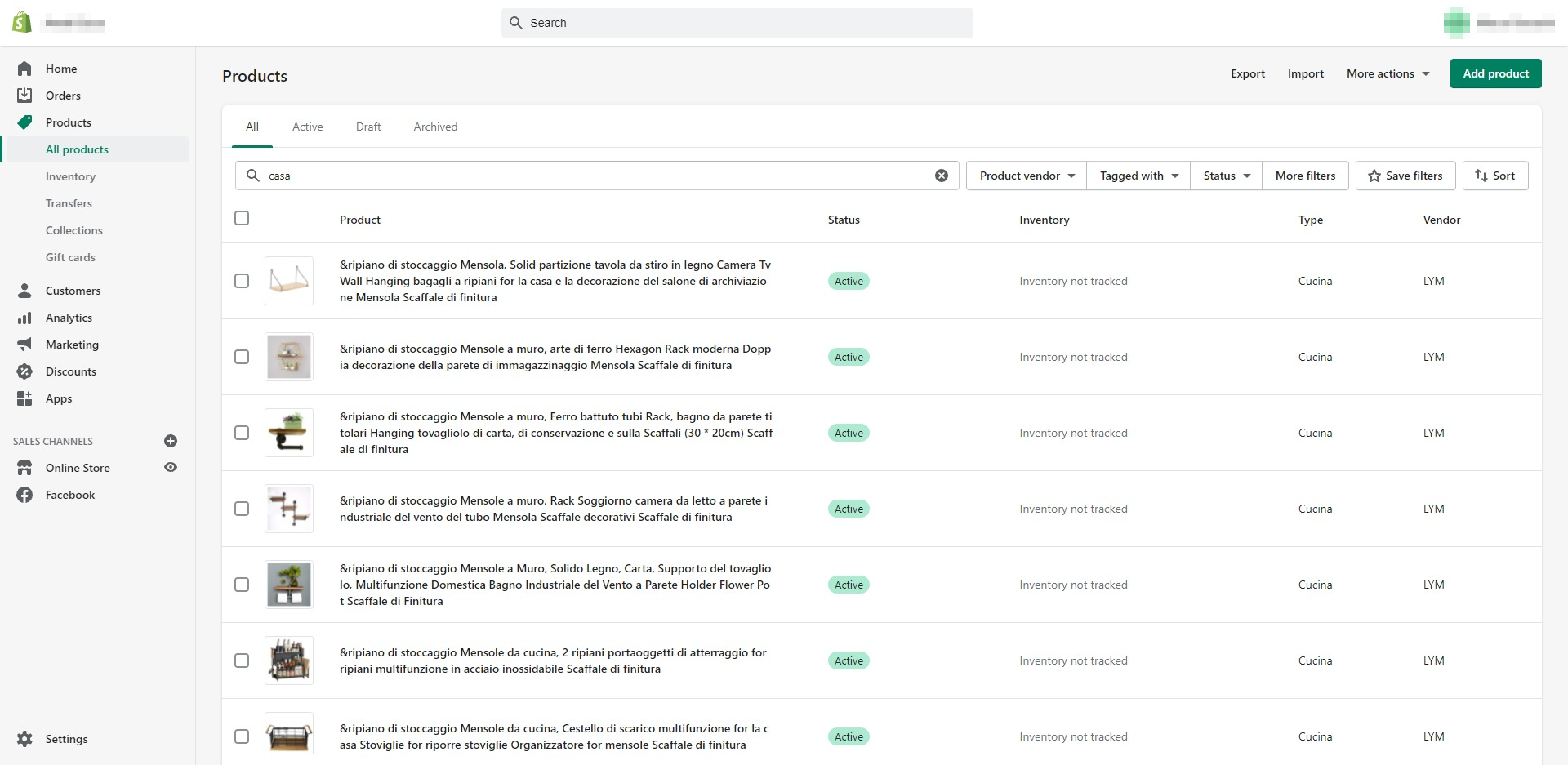
Within Shopify you will find a section with a wide availability of plugins that can be installed. Other notable features definitely include Shopify POS for those with a physical store: an app that can be installed on smartphones and tablets that allows you to collect orders on behalf of your customer.
Start a Free Trial Now with Shopify
Thus combining the potential of Shopify and Shopify POS your customers will be able to:
- Buy online and pick up in store
- Buy in store and have products shipped directly to your home
- Choose in store and then buy online
- Pay by their preferred method
- Buy gift certificates online at your site and then use them in your store
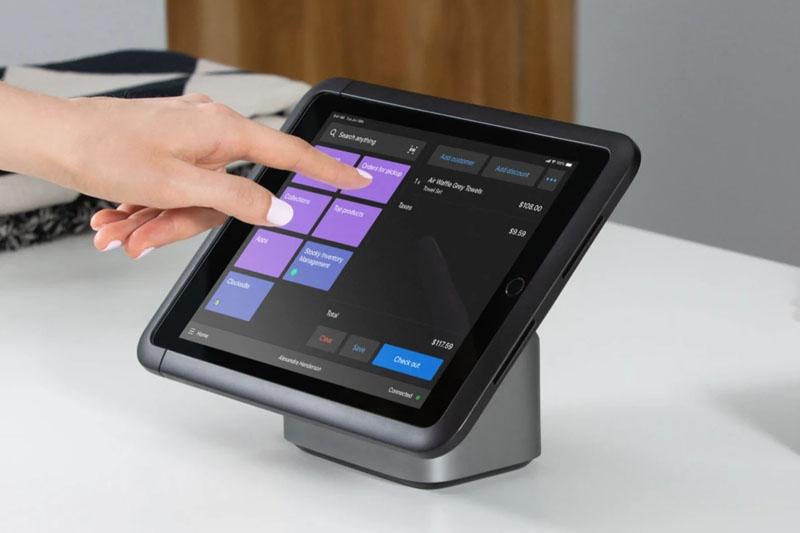
Start a Free Trial Now with Shopify POS
As you can see, the potentials with Shopify are many. All of this is not free, however: the subscriptions of Shopify are billed monthly and come in several tiers, whose current rates you can check on the official pricing page, plus a transaction on sales (which varies on average from 0.5 percent up to 2 percent depending on the subscription selected). On the other hand, as far as adding Shopify POS is concerned, the basic version is already included in all Shopify plans, while the PRO version costs $89 per month for each store location where you would like to use it and includes additional features. Most of the available plugins are also pay-as-you-go (almost always also with a monthly plan), but they definitely benefit from a wide compatibility, being most of the time free of bugs and errors, as they are validated by the Shopify team before being published on the official store. Even for Shopify, you can manage orders through the free downloadable app. Now below I will list the PROs and CONs that I have found in Shopify and give you a more complete overview:
PRO
- Innovative
- It has all the features to properly manage an online store
- Hundreds of themes available, both on the official store and on Themeforest
- Available plugins are first validated and ensure full compatibility
- Shopify POS is a great tool for unifying online sales within your physical store
- Reduced online time
- Payment system already integrated
- Fast page load times as Shopify stores are hosted on a CDN (content propagation) system
- Optimized usability and simplicity
AGAINST
- Although it is making great strides month after month, Shopify ‘s page customization engine currently still allows limited customization. So if you want to get around these limitations you will need to use paid applications available on the store, but the result will not always be satisfactory
CONSIDERATIONS
As you may have gathered, Shopify is a relatively young and evolving tool. Shopify ‘s target customers are small and medium stores, for large companies there is a dedicated solution called Shopify Plus. I am sure that in the coming years, it will be the dedicated E-Commerce software with the highest growth rate in terms of market share. Some rumors also indicate that the direction Shopify intends to take in the future is to create a proprietary marketplace, competing directly with Amazon. Although it is not free, it remains in my opinion among the best software around for those who want to create an E-Commerce site.
Final Considerations
I hope that thanks to this article you were able to get a clearer overview of the best programs available. As I mentioned at the beginning, there are indeed many solutions on the market, each with different features and functionality. I deliberately did not include Magento as an example, since after the latest updates released, it targets an Enterprise customer segment and has decidedly considerable maintenance costs for an SMB. The solutions I currently prefer for my clients are WordPress, to which I usually hook WooCommerce in case you need a showcase or hybrid site, and Shopify for a site intended primarily for use as an E-Commerce. Although many programs recommended in this article are free remember that there is a huge difference between: “making a site” and “making a site that works and brings results.” In case you chose the second option, you can contact me through this page. 😉